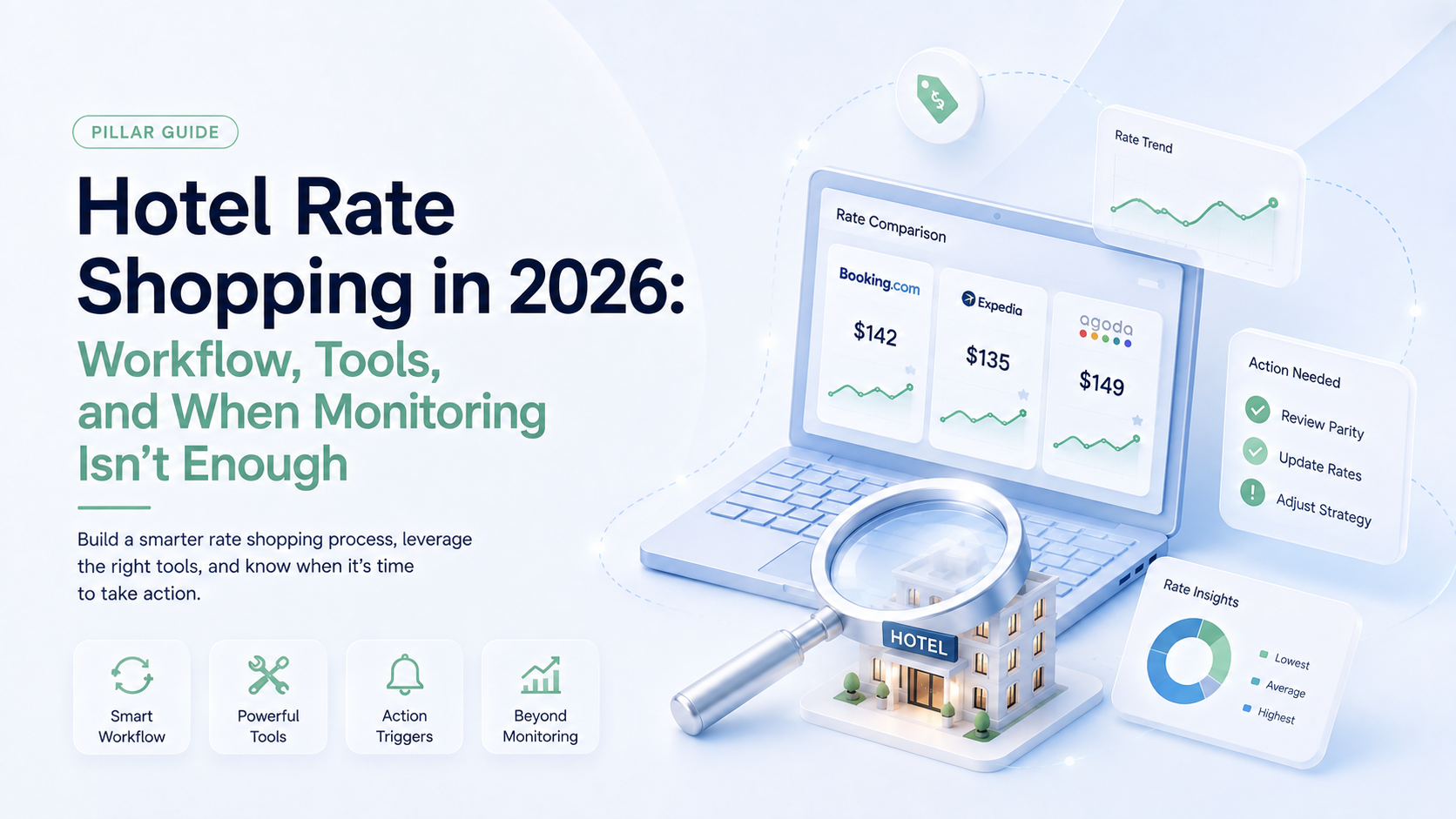
QUICK ANSWER — A rate shopper is a tool that automatically collects competitor room rates across OTAs, metasearch, brand sites, and the GDS, then matches and displays them against your own pricing. It replaces manual rate checking. What it does not do is tell you what to charge — that requires demand forecasting. The three things that separate a good rate shopper from a bad one are match quality, alerting, and what happens after the data arrives.
Three browser tabs open, competitor rates copied into a spreadsheet cell by cell, and by the time you reach the bottom row the top ones have changed. Most properties have done some version of this, and a good number still do it every week.
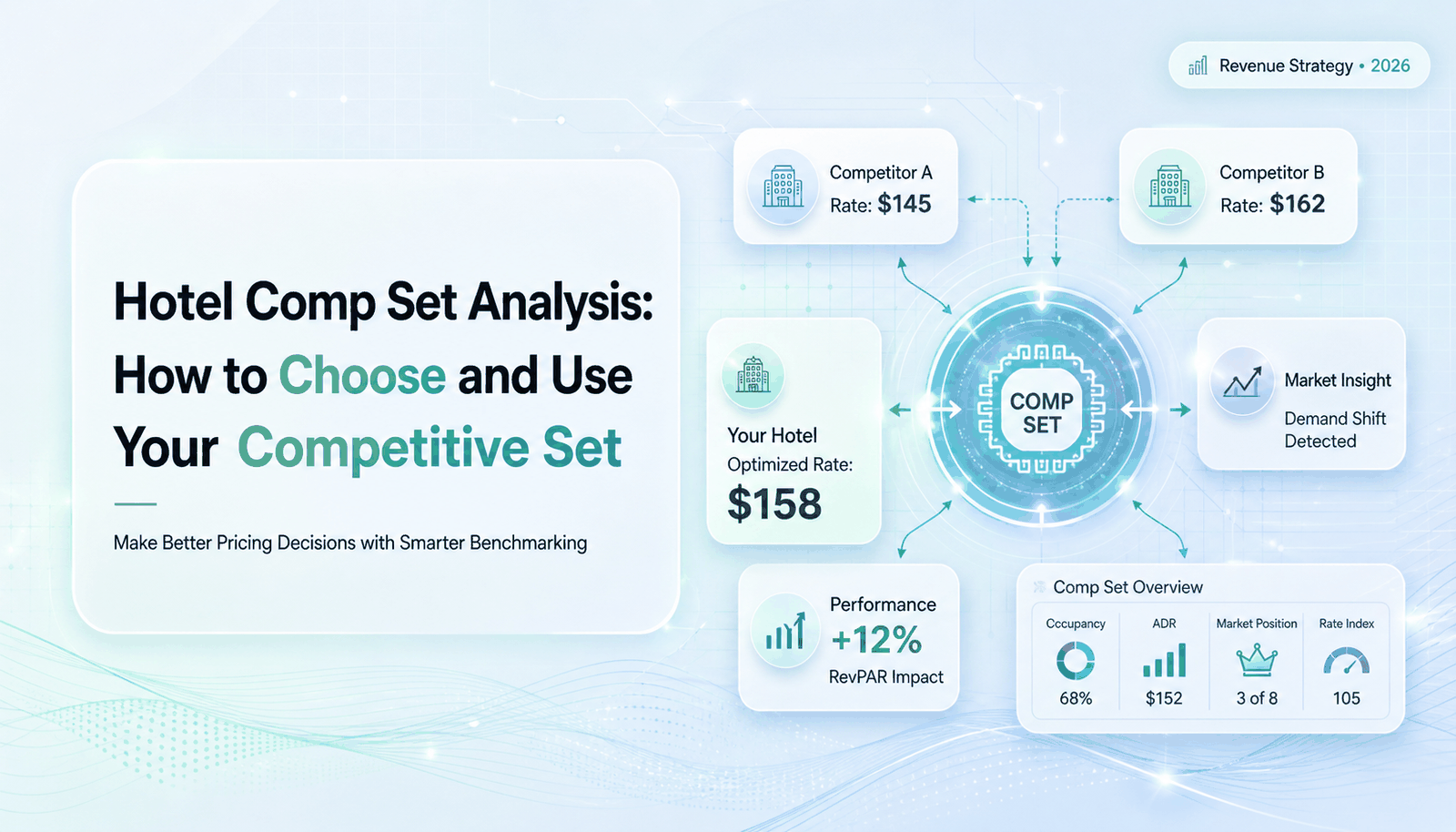
Choosing your comp set is step one — covered here. This guide is step two: how you monitor what they charge and act on it. The workflow, what separates a usable rate shopping tool from an expensive dashboard, and the honest limits of monitoring — because knowing a competitor dropped $15 does not tell you whether you should.
We pay for rate shopping data and I still can’t tell you whether Thursday is priced right. It tells me what they’re doing. It doesn’t tell me what I should do.
Key takeaways
- Rate shopping automates collection and comparison. Deciding and applying stay with your team — that gap is where the data loses its value.
- Match quality beats refresh frequency. Comparing your flexible rate to a competitor’s non-refundable rate produces a gap that does not exist.
- More data points do not help if you price once a day. Threshold alerts on the moves that matter beat a dashboard refreshing all night.
- Monitoring is backward-looking. It shows what competitors did, never what demand will do — which is how a whole comp set underprices a strengthening date together.
- A rate shopper is an input to a pricing decision, not a substitute for one.
What Is a Hotel Rate Shopper?
The category is sometimes called rate intelligence, competitive pricing intelligence, or simply rate shopping. Tools in this space are usually described as Market Intelligence Platforms — their job is gathering and presenting external market data. Some are standalone; others are modules inside a broader revenue or distribution platform.
It is worth being clear about what a rate shopper is not. It is not a comp set builder — you tell it which properties to watch, and if that list is wrong every number it returns is wrong with total confidence. That selection problem is covered in our comp set analysis guide. And it is not a revenue management system, for reasons that become the second half of this article.
The Rate Shopping Workflow — and Where It Stalls
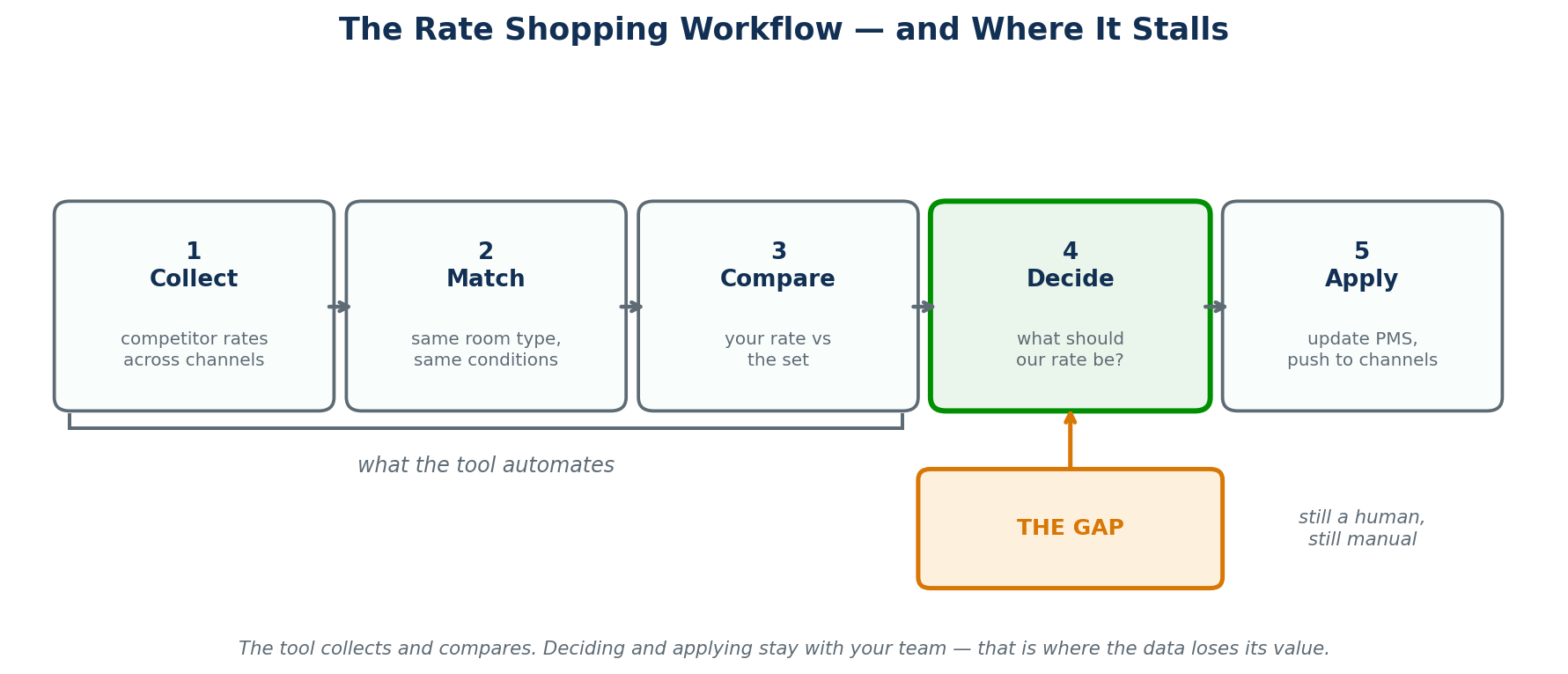
Five steps run from a competitor changing a price to you changing yours. Tools handle the first three well. The last two are where properties lose the value.
1 · Collect
The tool queries booking channels for competitor availability and rates across your chosen date range. Coverage matters here: a tool watching only the two largest OTAs leaves blind spots on metasearch, brand sites, and regional channels where your market may actually transact.
2 · Match
Raw rates are matched to comparable products — room type, occupancy, cancellation terms, board basis. This is the step that determines whether the output means anything, and the step most buyers never evaluate.
3 · Compare
Your rate is placed beside the matched set, usually with a rank, a gap figure, and a trend across the booking window. This is what people picture when they picture rate shopping.
4 · Decide — the gap
Someone looks at a rate gap and decides whether it warrants a change. No rate shopper answers this, because the answer depends on demand, pace, segment mix, and your own position on that specific date — none of which the tool can see.
5 · Apply
The decision is entered into the PMS or revenue system and distributed through the channel manager. Manual, and the point at which a fast data feed can still result in a slow rate change.
What Automation Actually Buys You
The case for a rate shopper is usually made on time saved, and that case is sound — but it is worth being precise about which time.
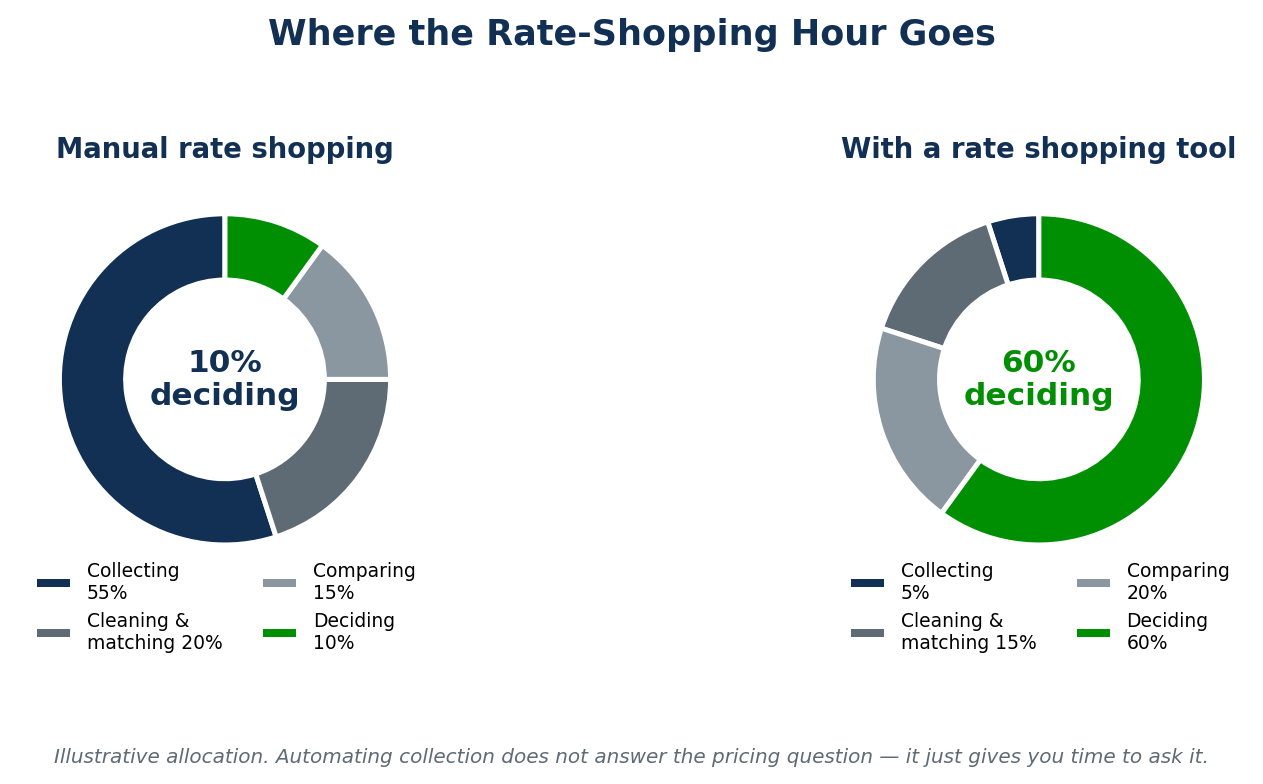
Manual rate shopping spends the overwhelming majority of the effort on collection and cleaning, leaving a thin slice for the actual judgment. A good tool inverts that: collection drops to near zero, matching still needs oversight, and the time released lands on deciding.
That is a real gain, and it is also the honest ceiling. The tool has not made the pricing decision easier — it has given you more time to make it. Properties that buy rate shopping expecting the rate question to be answered are disappointed for entirely predictable reasons.
Match Quality: The Thing Nobody Evaluates
Buyers compare rate shoppers on refresh frequency and channel coverage. Both are measurable, both are in the sales deck, and neither is the biggest driver of whether the data is usable.
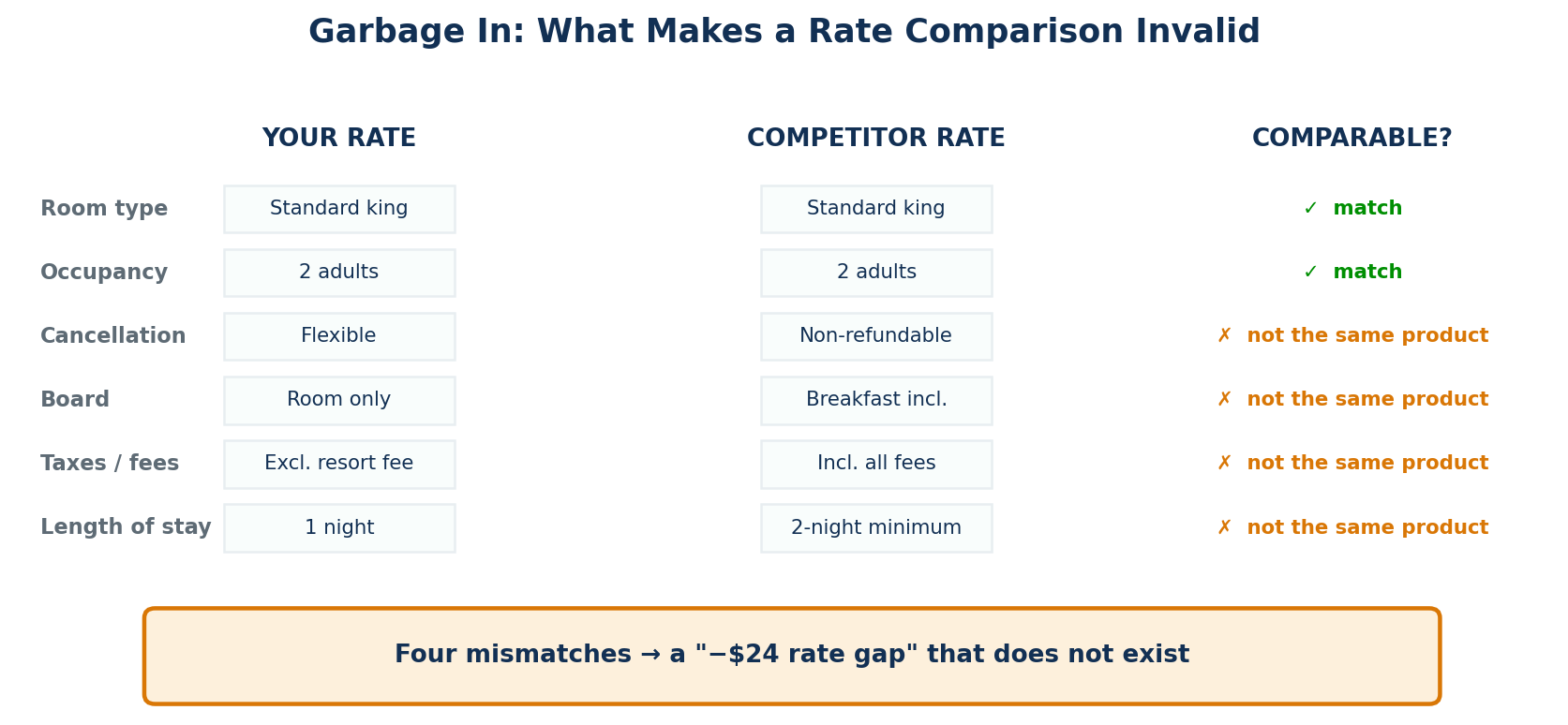
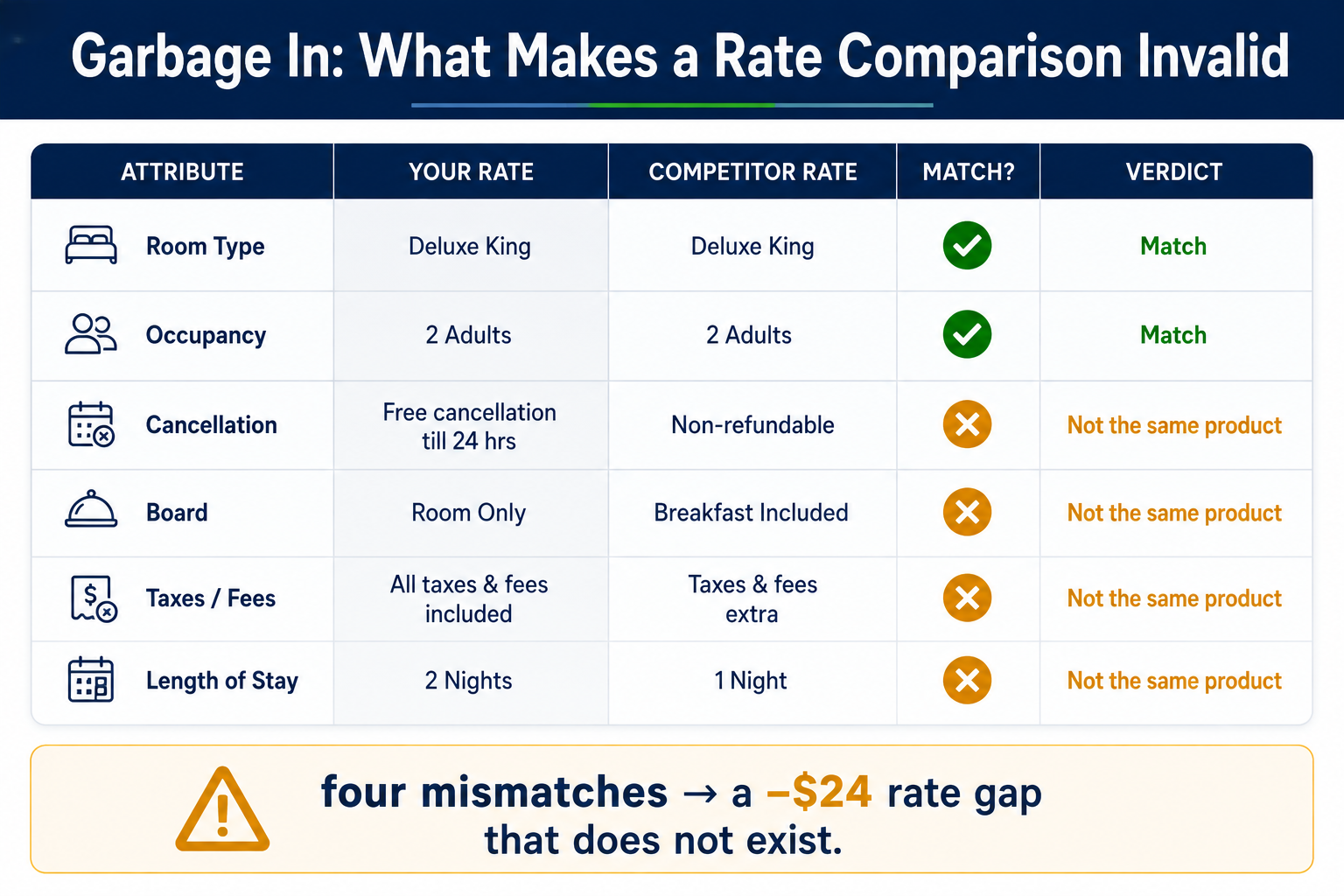
If your flexible, room-only, one-night rate excluding the resort fee is compared against a competitor’s non-refundable, breakfast-included, two-night-minimum rate with fees rolled in, the tool will report a gap. The gap is an artefact of the comparison, not a fact about the market. Act on it and you have cut rate against a product you were never competing with.
| Attribute | Why it breaks the comparison |
|---|---|
| Cancellation policy | A non-refundable rate is structurally cheaper. Comparing it to your flexible rate overstates their aggression. |
| Board basis | Breakfast included can account for a large share of an apparent gap, particularly at lower price points. |
| Taxes and fees | Some channels display inclusive, some exclusive. Mixing the two is the most common source of phantom gaps. |
| Length-of-stay restrictions | A two-night minimum rate is not available to the guest comparing single nights. |
| Occupancy | A double-occupancy rate against a single-occupancy rate is not a like-for-like number. |
| Room type | “Standard” means different things at different properties. Match on the actual product, not the label. |
Refresh Frequency Is a False God
Every vendor in this category competes on how often the data updates, and the arms race has reached “continuous real-time” in the marketing copy. It is worth asking what you would do with it.
Most properties make pricing decisions once a day, some twice. A feed refreshing every few minutes into a workflow that acts once every twenty-four hours does not produce faster decisions — it produces a longer log of changes nobody read. The exception is genuine compression: on a citywide event or a sellout date, rate movement matters within hours, and the properties that benefit from high-frequency data are the ones with a workflow that can respond at that speed.
The more useful design is not more data, it is better filtering. You do not need to see every competitor rate change; you need to be told when one crosses a line that changes your decision. Set a threshold — a competitor moving more than a set amount, or your position slipping past a defined rank — and let the alert come to you rather than reading a dashboard hoping to spot it.
When Monitoring Isn’t Enough
Here is the structural limit, and it is not a criticism of any particular tool. Rate shopping tells you what your competitors have already done. It is a record of decisions other people made, using information you cannot see, for reasons you can only infer.
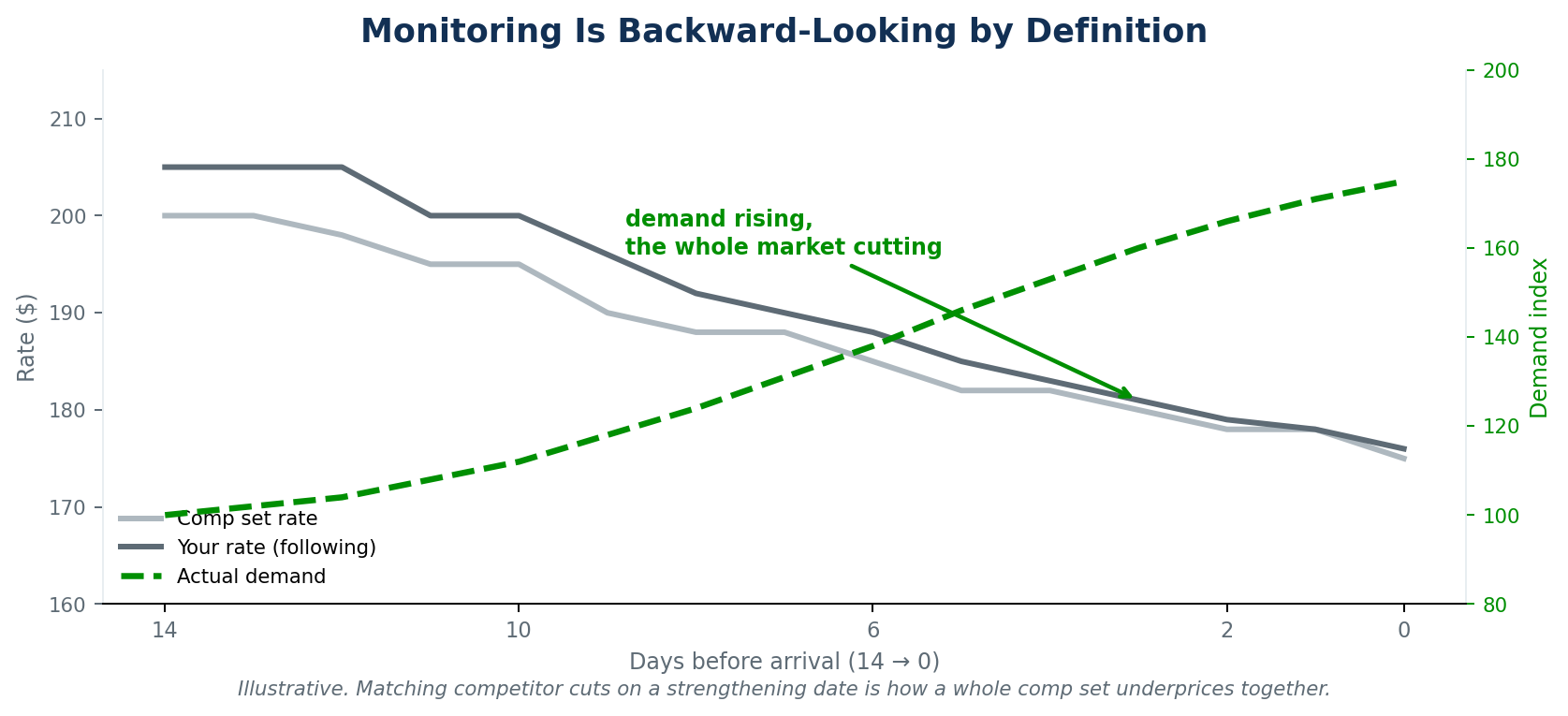
The failure mode this produces is follow-the-leader. A competitor drops rate on a date fourteen days out. You see it, you match it to protect position. A third property sees both of you and matches. By the time demand for that date actually materialises — and in the scenario above it was rising the whole time — the entire comp set has priced itself well below what the market would have paid. Everyone monitored correctly and everyone lost money.
The competitor who moved first may have had a group cancellation, a renovation, a segment problem, or simply made a mistake. You matched a decision without knowing its cause. Rate shopping shows you the move; it cannot show you the reason, and the reason is what determines whether following is sensible.
What monitoring cannot see
- Why a competitor moved — the cause is invisible, and it decides whether the move is relevant to you.
- Your own pace and pickup on the date in question, which is the strongest signal you have.
- Forward demand — events, compression, seasonality that no competitor rate reflects yet.
- Segment mix — a rate that suits their business mix may be wrong for yours.
- The revenue consequence of following, which is a simulation question rather than a monitoring one.
How to Evaluate a Rate Shopping Tool
Eight questions that separate a usable tool from an expensive dashboard. Note what is not at the top of the list: refresh frequency appears once, and near the end.
- How do you match rate types? Ask specifically about cancellation terms, board, fees, and LOS restrictions.
- What happens when a competitor has no comparable rate? Silent substitution generates phantom gaps.
- Which channels are covered — including metasearch, brand sites, and the regional channels that matter in your market?
- Can I set thresholds and receive alerts, or must someone open a dashboard to find out?
- How far forward does it shop, and how much history is retained for pattern analysis?
- How do I change my comp set, and how often is that practical? Comp sets drift; a tool that makes updates painful guarantees stale benchmarks.
- What is the realistic refresh interval under load — not the headline figure?
- What happens after the data arrives? The most important question, and the one least likely to have a good answer.
From Competitor Rate to Your Rate
Competitive intelligence is a genuine input. Nobody should price in ignorance of the market, and a property checking rates by hand across three browser tabs is losing hours to work a tool does better. The question is what sits on the other side of the data.
RevEvolve’s competitive intelligence tracks your competitor set and fires threshold-based alerts — you set the movement that matters, and notification reaches you by email, WhatsApp, or SMS rather than waiting to be discovered on a dashboard. That much is monitoring done properly. The part that closes the gap is what happens next: RM Copilot reads competitor position alongside your own demand, pace, and pickup across your PMS data, and recommends a rate with the reasoning attached — then lets your team simulate the projected occupancy and revenue impact before committing. Your team reviews the recommendation and applies it.
The distinction that matters for buyers: a Market Intelligence Platform answers “what are they charging?” A revenue system answers “what should we charge?” Both are legitimate products; they are not substitutes, and a property that buys one expecting the other will be disappointed. Our product-news write-up on benchmarking covers how the intelligence surfaces inside the platform.
Worth separating two categories people conflate: some hospitality AI is guest-facing — chat and messaging that help you talk to travelers. RM Copilot is operator-facing, working with your revenue team on the pricing decision itself.
Building a Rate Shopping Routine That Works
Daily — five minutes
Check alerts, not dashboards. If a threshold was crossed on a date inside your active pricing window, look at that date. If nothing fired, there is nothing to do, and the discipline of trusting that is what makes the routine sustainable.
Weekly — twenty minutes
Review competitor rate movement across the next 30–60 days as a pattern rather than a series of events. You are looking for a competitor systematically undercutting on weekends, or a set-wide drift on a particular date range, not individual moves.
Monthly — one hour
Audit the data itself. Spot-check a handful of matched rates against what a guest actually sees on the booking channel. Match quality degrades quietly as competitors add rate plans and change room-type names, and nothing will tell you.
Annually
Re-validate the comp set. Properties renovate, reposition, and open. A benchmark list that has not been reviewed in two years is measuring you against a market that no longer exists — see the comp set guide for the method.
Questions From the Buying Committee
Keep going: Hotel comp set analysis · Benchmarking for revenue-led decisions · What RM Copilot does.